
Installing CYPE software on another computer by copying or cloning the program folders
You can clone or copy the CYPE software installation from one computer to another using a simple copy and paste procedure. To do this, follow these steps:
- Install the CYPE Menu program on each individual computer, if this is the first time CYPE programs are being installed. If desired, you can carry out an unattended remote installation of CYPE Menu on each computer by following the steps described at this link.
Installing CYPE Menu installs the dependencies required by various CYPE programs that are not transferred by simply copying the folders described in the following steps. The CYPE Menu installation folder can be downloaded to one computer and then used to install CYPE Menu on as many other computers as required: - Install the CYPE programs you want to work with as usual on the first computer:
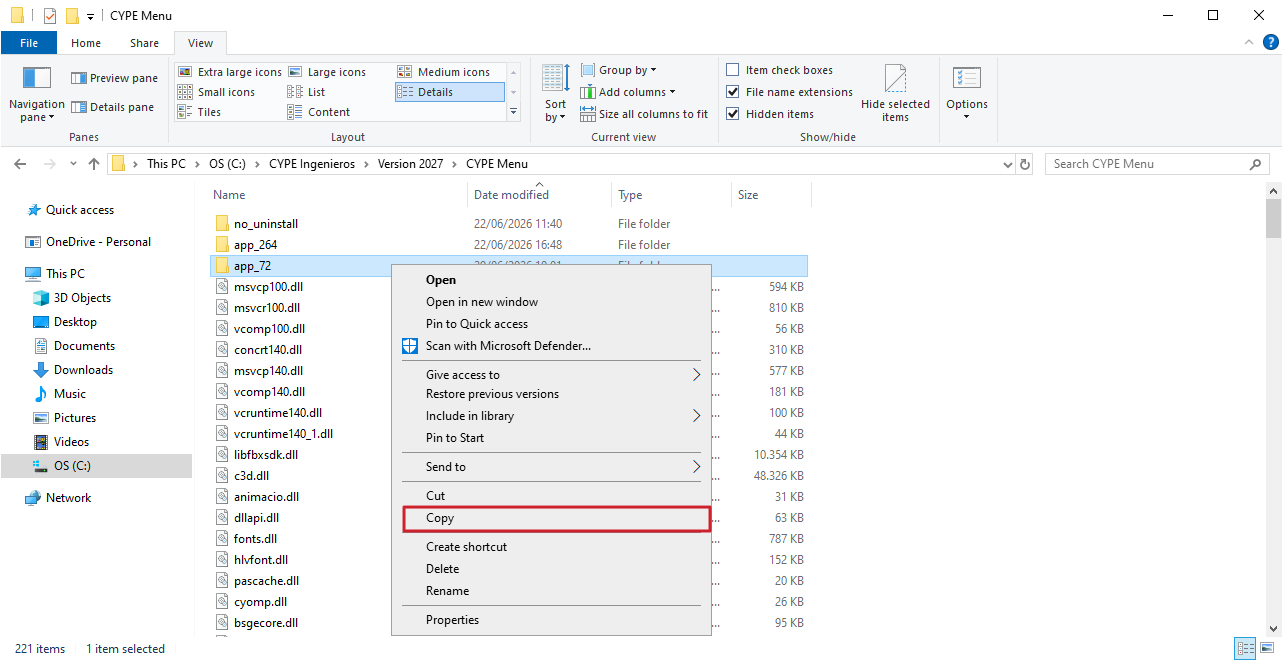
- Once you have finished installing the CYPE programs you wish to work with, locate and copy the installation folder for those programs. This folder is located at the following path:
- C:\CYPE Ingenieros\Version 20XX, where ‘20XX’ is the year corresponding to the version (for example, ‘Version 2027’).
- Alternatively, instead of the folder mentioned above – which contains all the CYPE programs installed on that computer – you can select and copy only the installation subfolders for each individual program. These are as follows:
- C:\CYPE Ingenieros\Version 20XX\CYPE Menu\app_application_identifier
If this folder is copied, only one of the apps installed in CYPE Menu versions 2025.a and later will be cloned (each app is associated with an identification number). - C:\CYPE Ingenieros\Version 20XX\application_name
If this folder is copied, only one of the apps downloaded and installed individually from BIMserver.center will be cloned.
- C:\CYPE Ingenieros\Version 20XX\CYPE Menu\app_application_identifier
- Finally, paste the folder you copied earlier onto the other computer where you wish to install the CYPE programs. You can place it in any folder of your choice, but we recommend using a folder path equivalent to the one generated during the installation of the programs on the first computer.




















































