Managing the electronic licence
The "Manage Electronic Licence" option can be found at the bottom of the CYPE Menu window or in the "File" menu of each program.
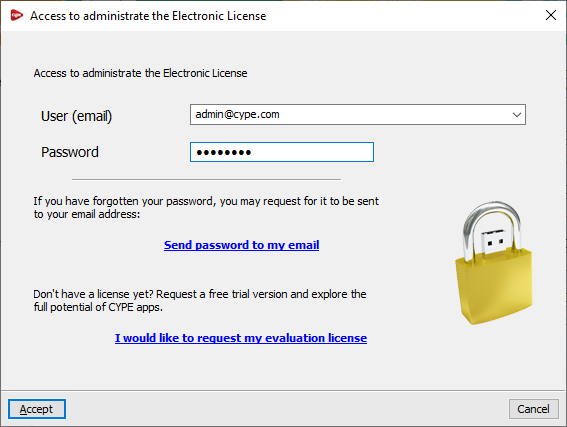
This option allows you to enter your login details to manage the electronic licence, including your username or email address and password. If you have forgotten your password, the link "Send password to my email" allows the program to send the password to the email address entered in the relevant field.
| Note: |
|---|
| These access credentials are specifically for managing the electronic licence (i.e. those of the licence administrator) and may differ from those required to use the electronic licence (i.e. those of the licence user, who will be using CYPE software). |
Once you have accepted, the "Manage Electronic Licence" window will open. This displays a table showing all the electronic licences managed by the licence administrator. The following details are shown for each one:
- The licence number ("Licence No.") and the "Version" to which it is updated.
- The "Email" and "Password" required to use each licence (i.e. the user’s access credentials).
- The "Notify" column shows whether the user for each licence is being notified of password changes by email.
- In the last column, you can view a description of the "Modules" included in each licence; these can be "Viewed" and displayed in a list by clicking on the relevant button.
The tools at the top of the table allow the licence administrator to perform the following actions:
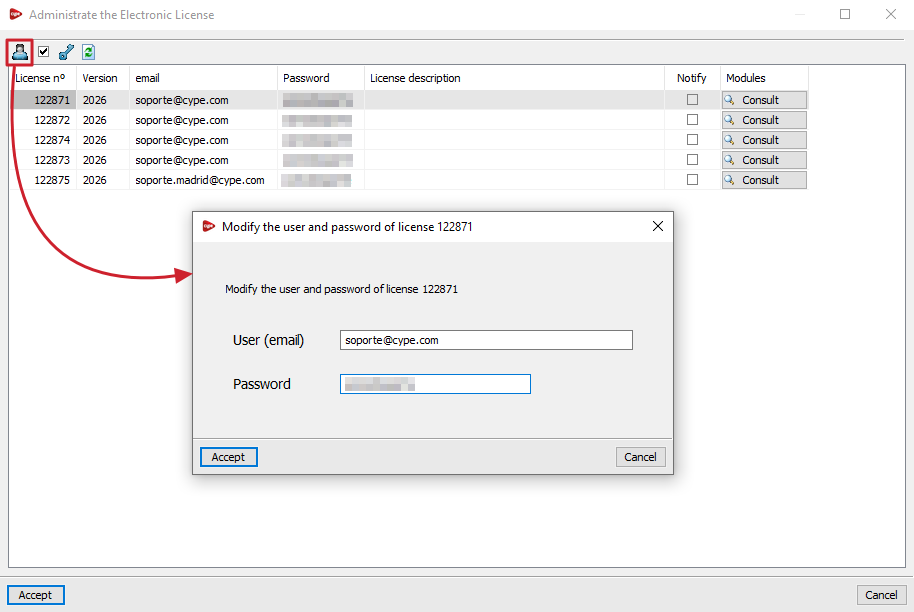
- Change the email address and password associated with the electronic licence
This allows you to freely change the login credentials (username or email address and password) for each electronic licence in the table. - Notify the user of password changes via email
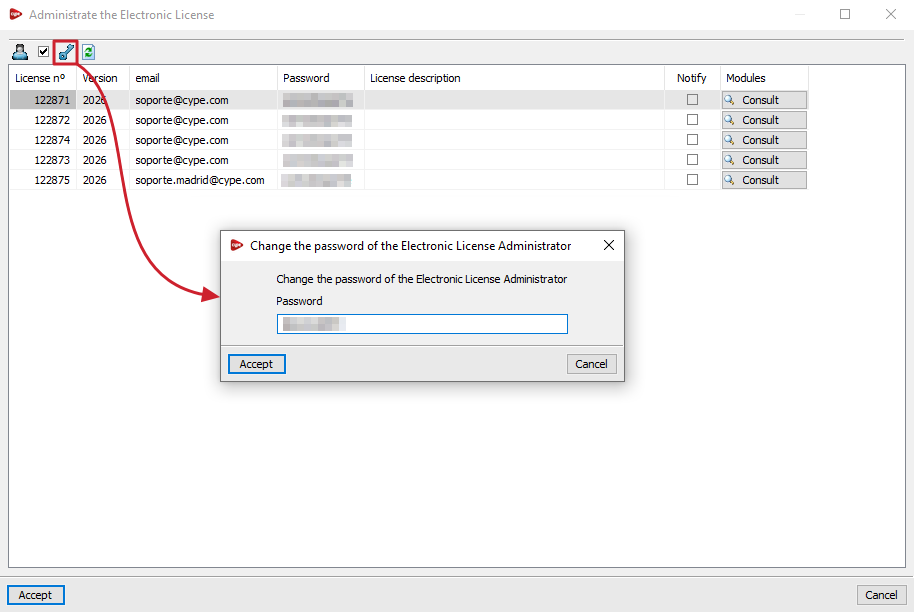
Allows you to enable or disable email notifications to the user regarding password changes made for each licence. - Change the Electronic Licence Administrator password
Allows you to change the password for the login credentials used to manage the electronic licence. - Refresh the displayed information
Refreshes the information displayed in the table if any changes have been made.