Checking the version and licence number
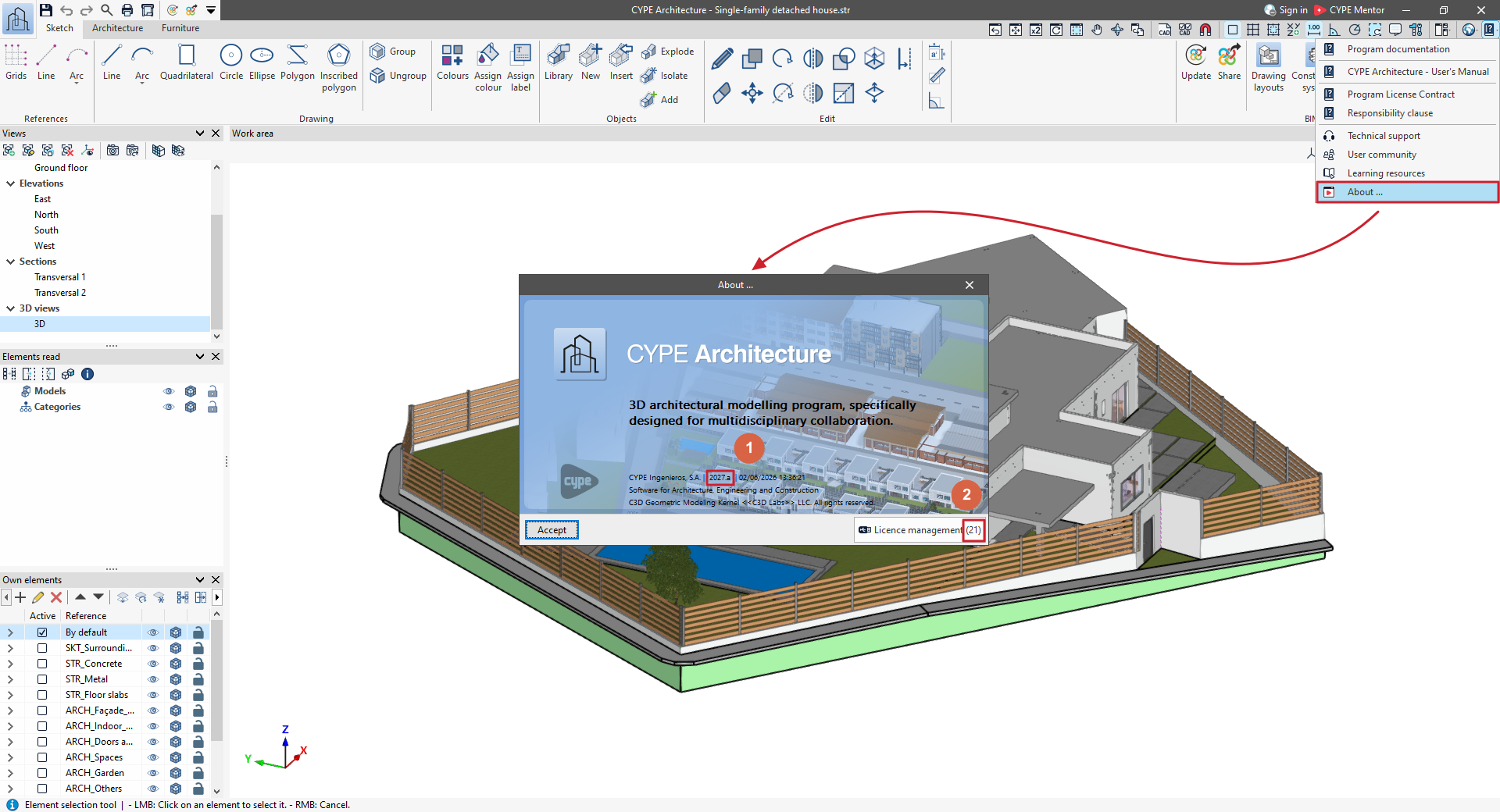
To see the version (1) and licence number (2) you are using in a CYPE program, open the "Help" menu at the top of the program and click on the "About" option.
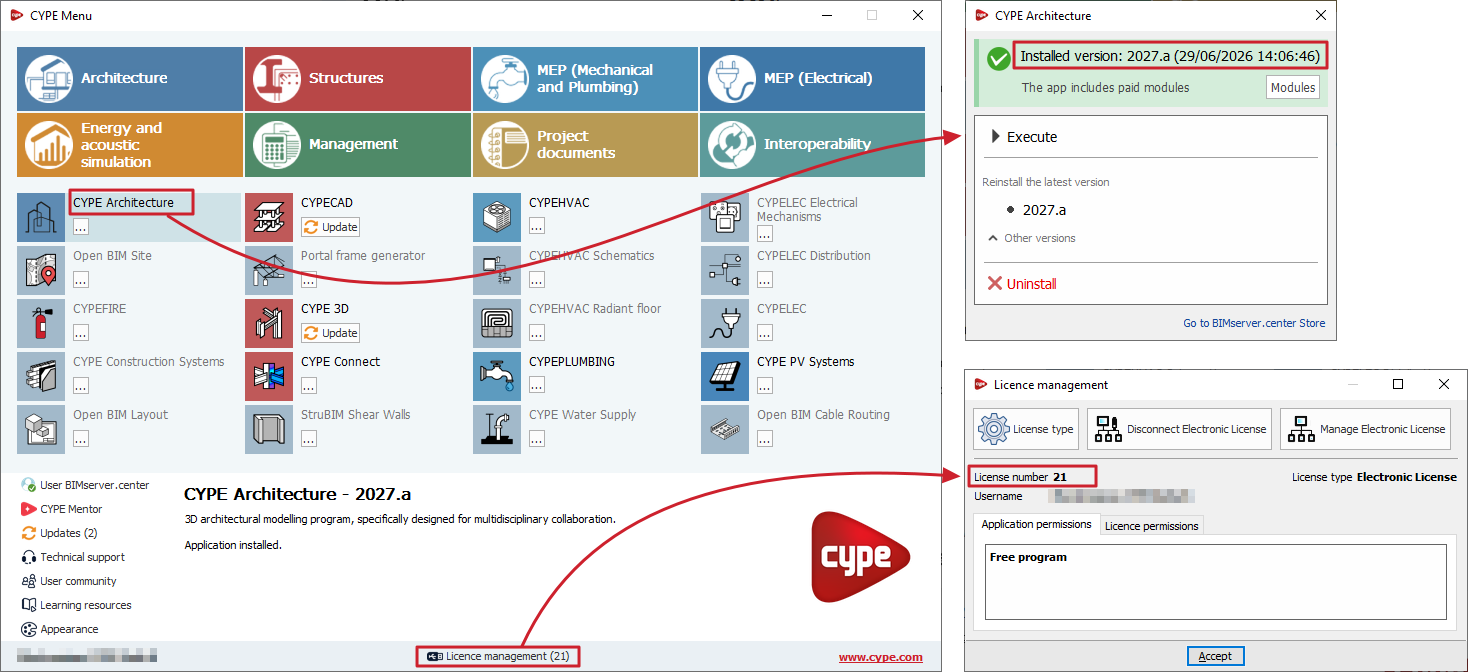
In CYPE Menu, you can also check the licence number currently in use using the "Licence management" button at the bottom of the window and the installed version of each app in the information panel on its access panel.
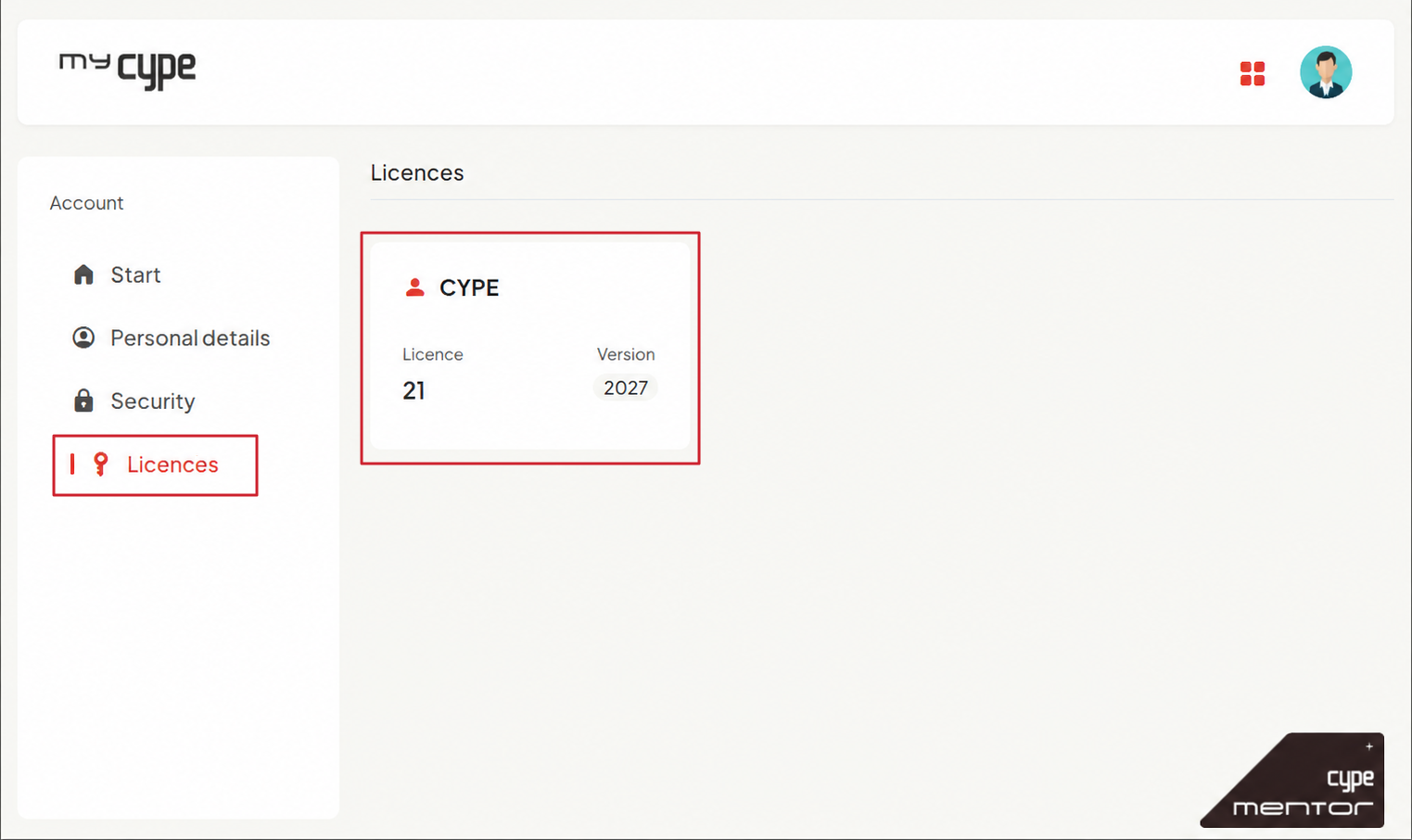
In myCYPE, you can also check the licence number and the software version covered by the licence in the "Licences" section.