Linking a job to a BIMserver.center project
You can link the job to a BIMserver.center project in the following ways:
Linking to BIMserver.center when creating a new job
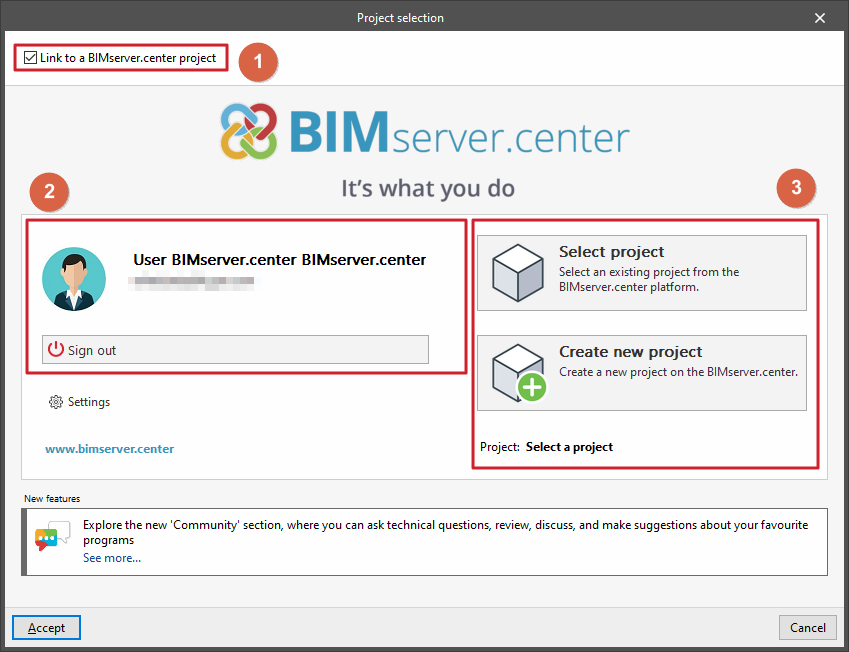
When creating a new job (via the "File" > "New" menu), tick the "Link to a BIMserver.center project" box (1) in the "Project selection" window.
On the left-hand side, you will need to "Sign in" to BIMserver.center, authorising the app to access your BIMserver.center account details via your web browser and then accepting the notification.
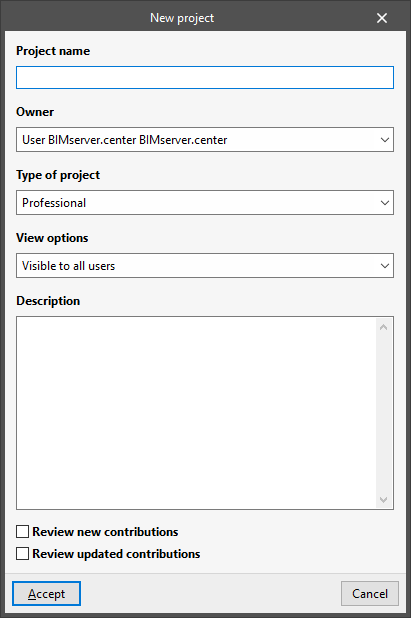
On the right-hand side (3), you can either click on "Select project" to choose a previously created BIMserver.center project, or create a new one now using the "Create new project" option:
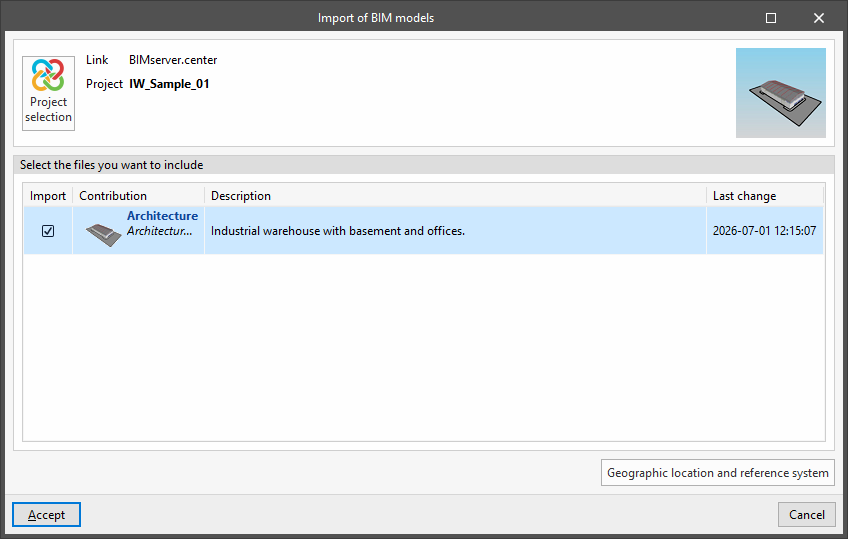
- If you select an existing project, after clicking "Accept", in the "Import BIM models" window you will be able to "Import" other files into the BIMserver.center project for viewing in the 3D view and for reading specific information, depending on the software used.
- If you create a project directly, you will need to enter the "Project name", select the "Project type", the "Visibility options", the "Collaboration request management" and add a "Description". You should also tick the "Review new contributions" and/or "Review updated contributions" boxes if you wish to apply this control to the project you are creating.
Linking an open job to a BIMserver.center project
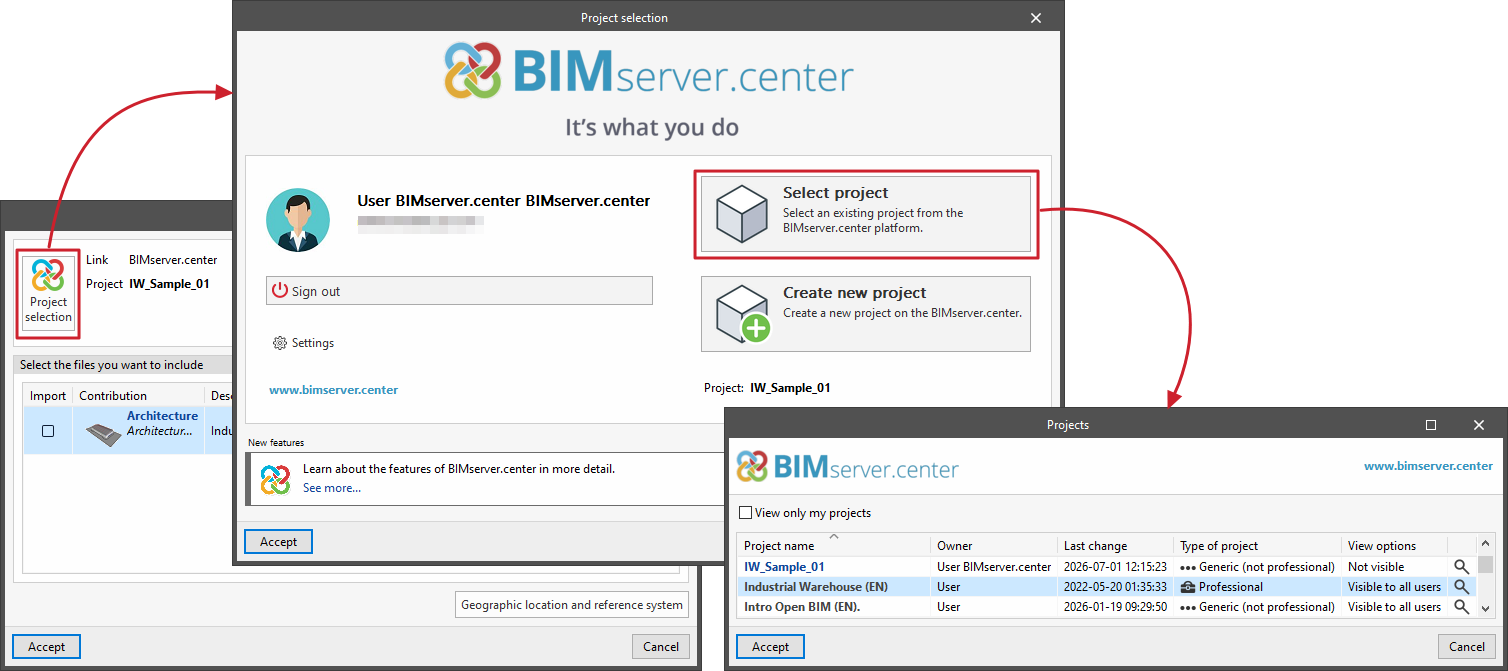
If you have opened a previously created job in the program and wish to view or modify the BIMserver.center project to which it is linked, go to the "BIMserver.center" section in the top right-hand corner and select "Update".
This will take you to the "Update BIM model" window, where you can review the files to be included from those that appear in the selected project.
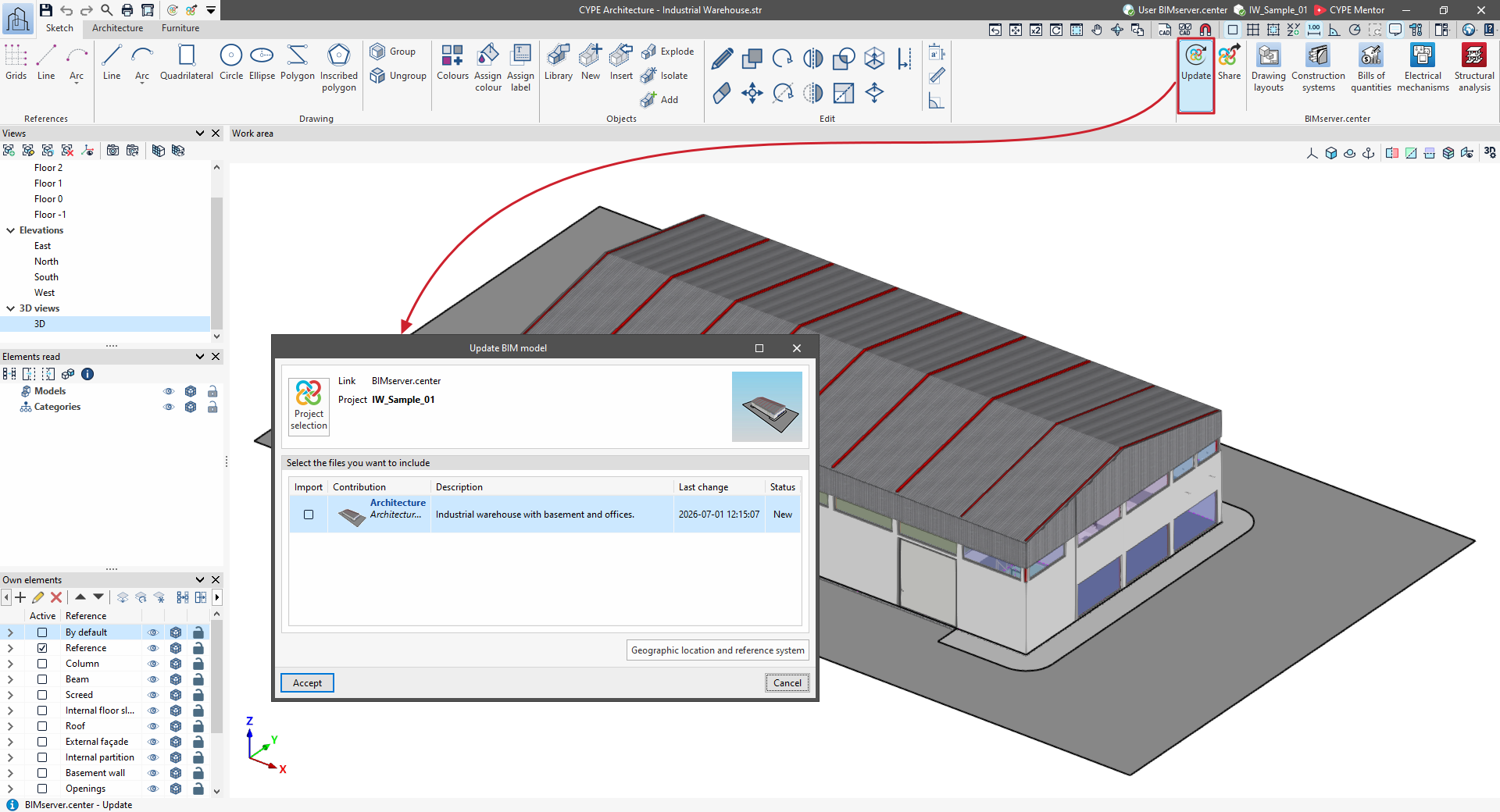
If you click on "Project selection" here, you will be taken to that window, as mentioned above, where you can change the project to which the job is linked using the "Select project" option, or click on "Create new project" to create a new BIMserver.center project at this point and link the job to it.