
Share the project file
To share the project file from any CYPE program, follow these steps:
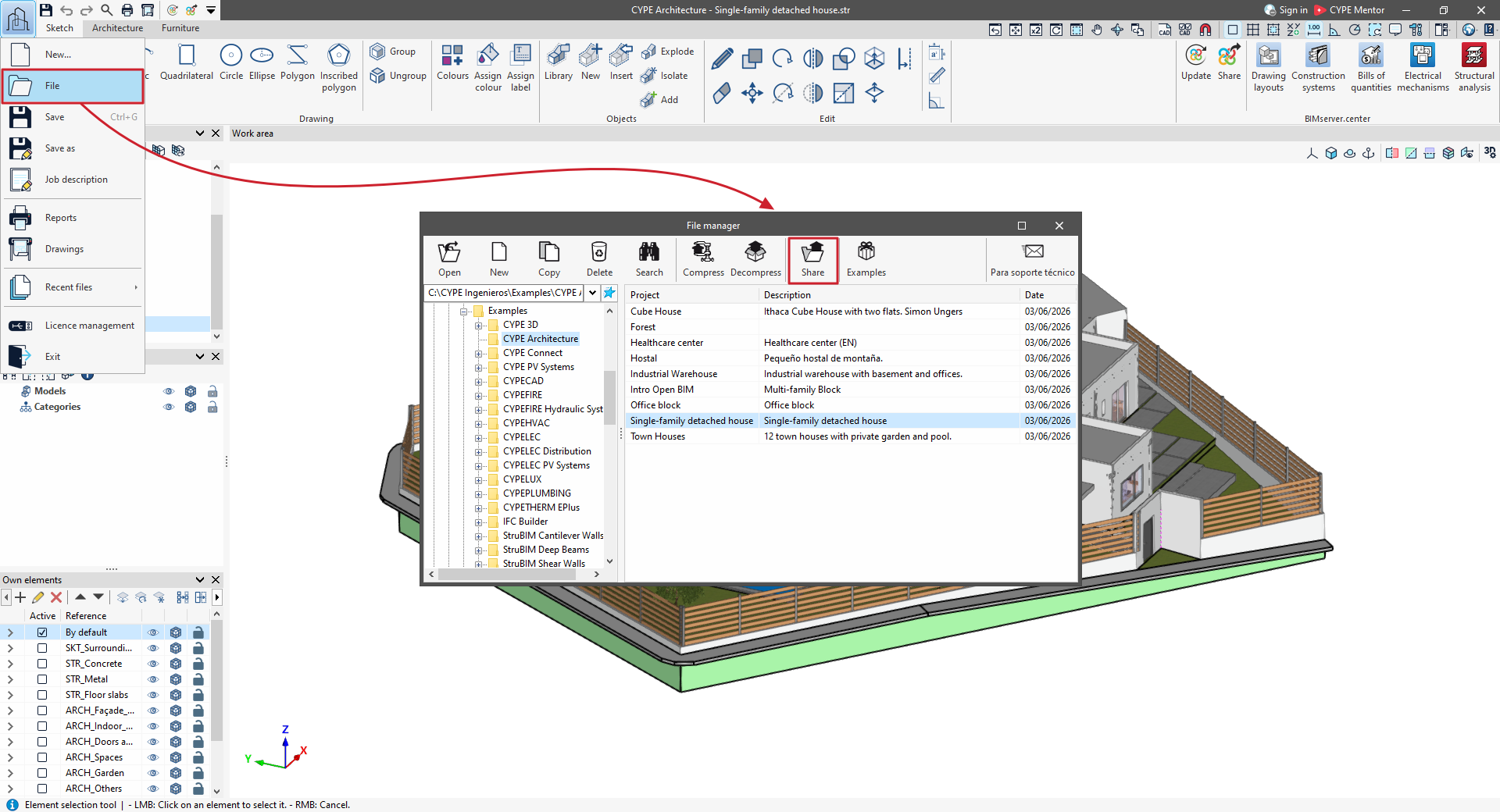
1. First, click on the program logo in the top-left corner, then click on "File".
*In programs such as CYPECAD, you should open the "File" menu at the top of the program interface and select the "File management" option.
2. In the window that appears, select the project you want to share from the table. By default, the project that is currently open will be selected. Then click the "Share" option on the top toolbar.
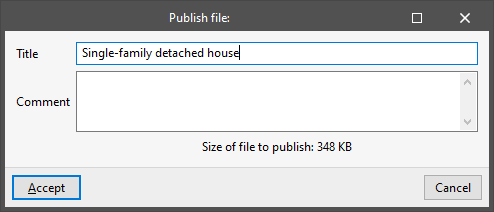
3. Next, enter a "Title" and a "Comment".
4. Once the process is complete, the program will display a dialogue box containing a link to the published file. You can copy this link by left-clicking on it directly from here.
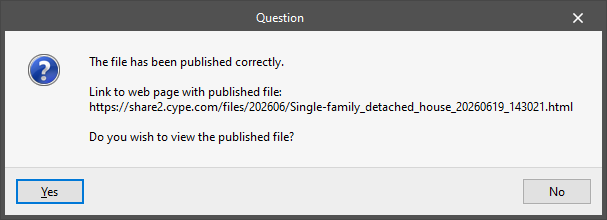
5. If you wish to view the published file, select "Yes" to access the link via your browser. You can copy and paste the link to share the CYPE program file with anyone you wish. The project is hosted on a server and will only be accessible to those who have this link.
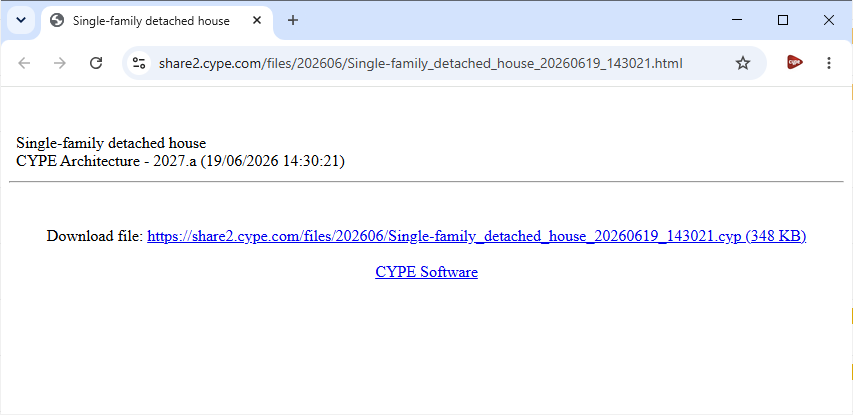
The link allows you to download a compressed file with the .cyp extension, which contains information about the work. It can be opened from within the program using the "Extract" button, which is available next to "Share" in the menu mentioned above.
In the directory for each version, C:\Users\username\AppData\Roaming\CYPE Ingenieros\v20XX\cypecad (previously C:\usr\cype\cypecad), a file named links.txt is generated, containing links to published projects. This file also contains the links to the screenshots that can be captured and published by pressing the F12 key on the keyboard.
| Note: |
|---|
| When using this option, you may see the message "It has not been possible to connect to the server: share2.cype.com (12007)". In this case, you must ensure that the FTP ports are enabled so that the program can upload the file to the CYPE server. If this is not possible, select the "Compress" option in the file manager to obtain a compressed file in CYP format and save it to your hard drive. You can then attach and send this file by email to the technical support addresses if you wish to contact them. |




















































