myCYPE dashboard
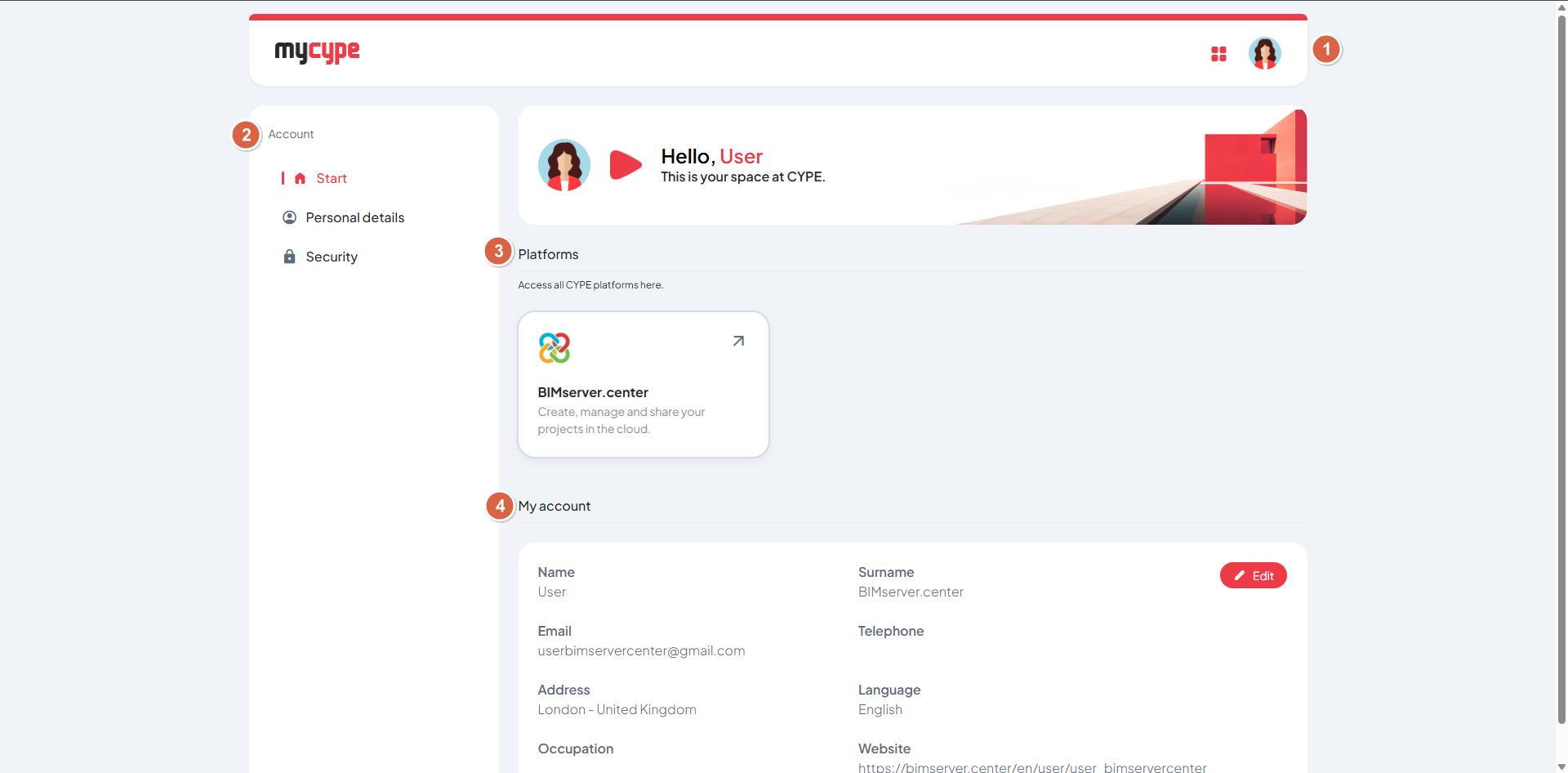
The myCYPE interface is organised into a single dashboard containing the following sections:
- At the top of the page, you can:
- Access CYPE’s platforms directly via the "myCYPE platforms" icon.
- Edit your personal details or log out from the menu under the user icon.
- On the left-hand side, a side menu lets you:
- Go to the main dashboard (Start).
- View and edit your personal details.
- Go to the security settings to change your email address and password.
- In the centre of the page, you’ll see the content for the option selected in the side menu.